Chapter 1
Home row
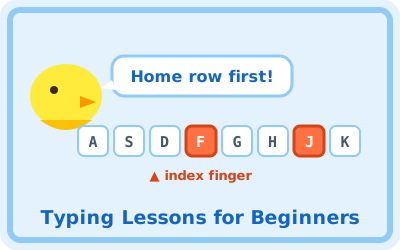
F and J first, then D K, S L, A ; and the space bar. Learn where your hands rest.
⌨️ Touch Typing Course
Learn to type without looking at the keyboard, in 5 short chapters
Free, no sign-up, no timer. The on-screen keyboard shows the next key and the finger to use, so you can start from "press F" even if you have never typed before.
⌨️ Press F to begin (start at 1-1)For a physical keyboard (US or JIS layout). Phone and tablet on-screen keyboards are not supported.
Going in order is best, but every chapter is open from the start. Each stage takes one to three minutes.
F and J first, then D K, S L, A ; and the space bar. Learn where your hands rest.
R U, E I, W O, Q P, T Y. Reach up and come straight back home.
V M, C , X . Z / and B N. The row most people find hardest, one pair at a time.
Real words, capital letters with Shift, and short sentences ending with Enter.
The number row, reached from the home row without looking down.
The lessons remember which keys you miss most and build a drill around them, in three lengths.
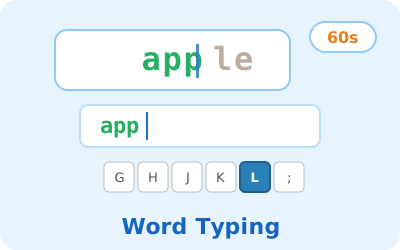
Word Typing Challenge gives you one minute of English words and reports your words per minute (WPM) and accuracy, with a world leaderboard.
| Beginner | 10–20 WPM |
|---|---|
| Comfortable | 30–40 WPM (typical adult) |
| Fast | 60+ WPM |
Accuracy first: a slow, accurate typist becomes a fast one; a fast, sloppy one stays sloppy.
Once the chapters are done, keep the habit going with games. Both keep a leaderboard.
A. Yes, everything is free. There is no sign-up and nothing to download; it runs in the browser on any computer, including Chromebooks.
A. Anyone who can read the letters on the keys. It is designed for children around 8 and up, but it works just as well for teens and adults starting touch typing from scratch.
A. The lessons need a physical keyboard. A tablet works once a keyboard is connected. This overview page can be read on a phone.
A. Progress is saved in the browser of the computer you use, with no login. School computers are sometimes reset at shutdown, so every stage stays open from the start and you can resume from any chapter even if the record is gone.
A. Ten minutes a day is enough for most learners to know the home row within one to two weeks and to type slowly without looking within about a month. Measure your speed in the typing games as you go.